

"Your health, well-being, and peace of mind are of utmost importance to us and are reflections of our values in action. Recognizing this, Haworth remains dedicated to offering a comprehensive suite of benefits, helping you achieve a fulfilling life, both professionally and personally."
Frances Hogsten
Vice President of Global Human Resources

Nov 2

Nov 20

Jan 1
Are You New This Year?
We are excited to share the 2027 Benefits Guide web experience with Haworth members. We hope it helps you quickly and efficiently find information. For more in-depth details, visit the Engage Benefit Community, HR Help, or the Benefits SharePoint site.

What's New This Year?
Here's a summary of benefit changes for 2027.
View the 2027 Cost Benefits Guide for details.
New Benefit Partners
• New Pharmacy benefit administrator - JudiRx • New life, disability, and voluntary benefit carrier through Aflac
More Support & Options
• Additional vision option through VSP • Identity theft monitoring through Allstate • Personalized cancer screening guidance and support through Color Health
Contribution Updates
• Small increase to medical contributions, with no changes to deductibles, copays, coinsurance, or out-of-pocket maximums • Increased contribution limits for Health Savings Accounts and other Flexible Spending Accounts


How to Enroll
Beginning November 2, Open Enrollment will be available in ADP, which can be accessed using any of the following:
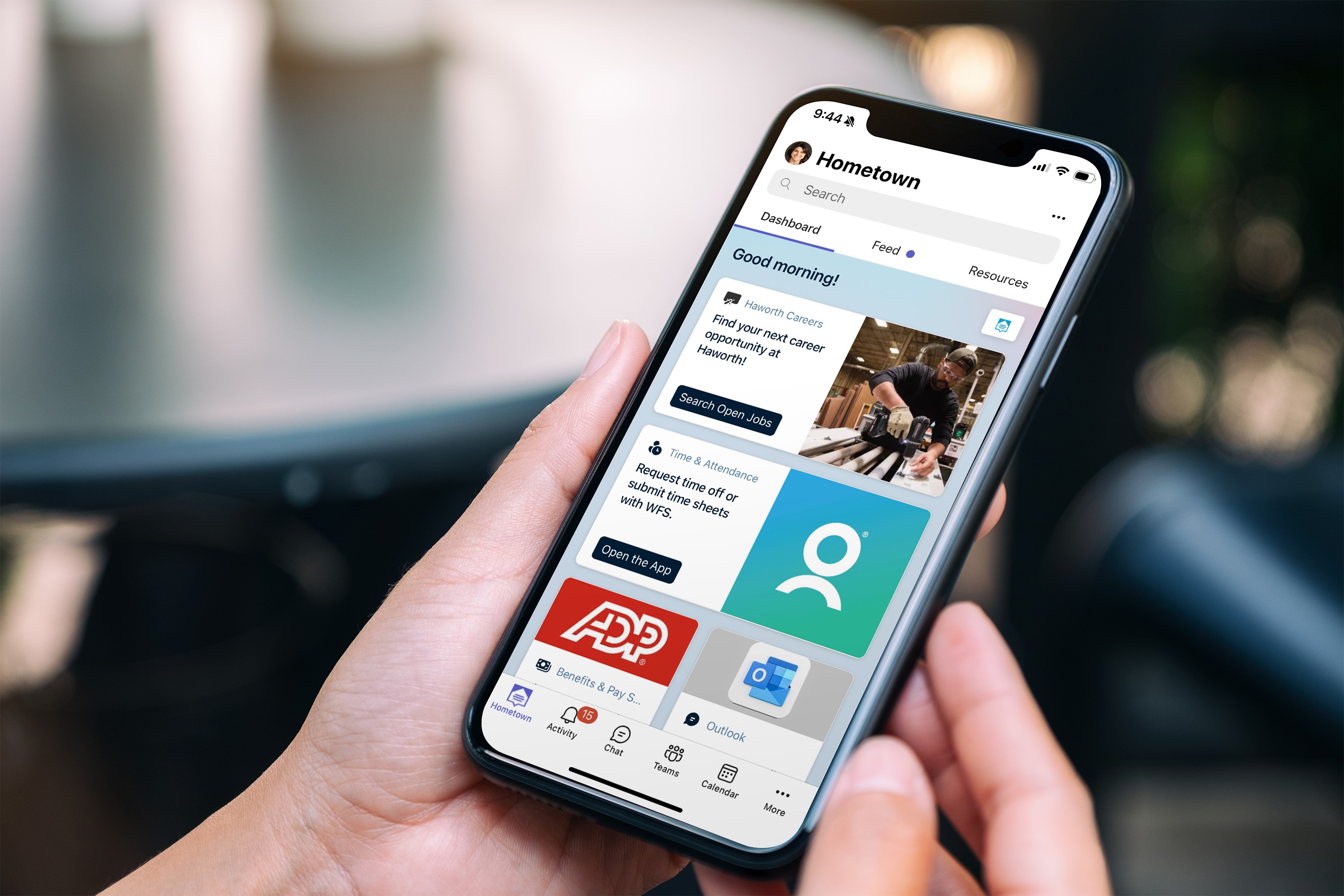
Microsoft Teams: Access ADP directly from the Hometown Dashboard section in Teams for quick and convenient enrollment.
Hometown: Open Hometown and select 'Member Central'. You can access ADP by selecting the 'Pay & Benefits' tile. In ADP, choose the 'Benefits' tab.
The ADP mobile app or my.adp.com: You can use ADP’s mobile app or visit their website to complete the Open Enrollment process.
Once in ADP, select Benefits from the menu and click Open Enrollment. After completing your elections, we recommend printing a snapshot of all the benefits you've chosen and their cost for the year—just in case you need to reference them later.
Accessing Team or Member Central from home or outside the Haworth network will require Multifactor Authentication (MFA) to be set up on your mobile device before you can log in. For help contact IT for assistance.

If you are happy with your current benefits, you do not need to take any action during Open Enrollment. Most of your benefit elections will automatically carry over to 2027.
The following benefits do NOT carry over and must be elected each year during Open Enrollment:
Health Care Flexible Spending Account (FSA)
Any Flexible Spending Accounts (FSA's, DCA's LFSA'S)
Purchased Paid Time Off (PTO)
If you want any of these benefits for 2027, you must log in and make a new election. Purchased PTO is only available during Open Enrollment and cannot be elected as a new hire or added later in the year. If you are covered under another Haworth member's medical plan, you must log in and actively waive medical coverage during Open Enrollment.
When adding a dependent to your coverage, required supporting documentation must be uploaded and approved in ADP before the enrollment deadline. If documentation is not received and approved, the dependent will be removed from coverage retroactive to the effective date of enrollment and treated as though coverage had never been elected.
Benefit changes outside of Open Enrollment are only allowed if you experience a qualifying life event, such as marriage, divorce, birth, adoption, or loss of other coverage.
New Members
New members have 30 days from their hire date to enroll in or waive benefits. If no election is made within 30 days, you will automatically be enrolled in the Single Consumer Driven Health Plan (CDHP) at the Member Only level. Be sure to review your options and make your elections if you do not want this default coverage.